Module 3 Formstorming

Weekly Activity Template

Grey Gwozdz


Project 3


Module 3

Melding the world of Physical interaction and screen responses using the Makey Makey

Activity 1

In this gif I am following the first section of steve's tutorial. This part is essentially just making sure the makey makey works. In this gif I am following the second section of steve's tutorial. Being able to move the object made me wonder how collision might work and if a simple videogame along the lines of 'baba is you' would be possible. This is the third part of the tutorial. I thought the camera movement was a little awkward at first but it ended up inspiring my faviourite idea. This was the fourth part of the tutorial. It seemed like it could be helpful for a videogame esq idea where you could have a camera following the character. The camera is set up different here because I was trying to play the beginning part of fur eleise as close as I could with the slightly off notes. After following the tutorials I did a bunch of ideation to come up with ideas to code. My first idea was that of a feast where there is something wrong reflected in the screen. The screen changes when the user picks up a peice of food to show the feast changing to rotting, or taken over by plants. How the food changes depends on which peice of food is picked up. This idea is of a controller that is a little dragon figure, and as the dragon is turned the camera turns to reflect the position of the dragon. the digital enviorment is a cloudy mountinous landscape that the dragon flies through. This sketch is of an interactable painting that uses graphite paint to create parts or the painting that will react when touched. touching the painting triggers sounds relating to the selected image and changes the digital enviorment adding or removing elements that match the painting. This sketch is of a digital enviorment that pairs with a floor piano so that the user is interacting with their full body. It gets the user more actively involved. This idea comes back to the tilting dragon idea where the user has some sort of interface that lets them control a character around a busy city enviorment. It should feel busy and claustrophobic. this is a sketch of a videogame esque digital enviorment where the character is directly controlled by the user moving their enviorment. This idea creates a more direct connection between the digital enviorment and the user by connecting them more physically This idea Involves creating a simple videogame like race to the end of the screen or a simple parkour course. again it gets the user very physically invovled by geting them to step on floor pads and use their full body. This idea is inspired by a project I did in year one where when windchimes hit eachother being pushed by the wind different sounds would play. In this idea I am taking this concept and adding an abstract digital display to go along with it. This display doesnt literally show the sources of the sound but uses colour, movement, and shape to create a feeling similar to the sound and enhance it. In the matter of less than one week it felt like I completely forgot how to code.I also pretty immediately came to the conclusion that I do not like visual Studio Code at all. Phoenix is my favourite so far but has trouble withe p5 previews in safari. The p5 web editor was what I used for the entirelty of project two which i also liked aside from the fact I could not find a way to do a full screen preview. VSC tries to autocorrect the correct p5 terms i am typing into wildy different supposedly javascript tags. I find this genuinely maddening and doubt I will be using VSC past this activity. This is the first attept at coding an enviorment that would function similar to a simple game. It has a character that you can move and a bakground that gives the user an idea of the goal. as previously mentioned, I felt like I had completely forgotten how to code. So this is me testing that the colour change function is even working. This test was me making sure I understood the code right and could get the colour to change when the duck overlapped with the box in order to create a colour changing flag or some other indicatior that the user had completed their task. This was a failed prototype where the goal was to make a rising lava type of mini-game. However I could not manage to get the rectangle to start at the bottom and stretch up while also having the shape that was detecting for overlap move and update in the same way. I encountered a number of errors and eventually moved on as I didn't want to become stuck on this one idea that I wasn't even sure was my favourite. This was me taking the fourth template and testing importing my own objects. I am looking into it because I am intrested in making a digital enviorment the user moves or looks around in which will require importing models that ideally I have made. This was the result of me trying to input a texture. I was encountering a number of errors where it did not seem to be able to read the mtl file. I moved on in the intrest of time but will be going back to this if I end up going with an idea whwere it is required. This video is of me testing different objects I can bring in and changing the rate of each axis spinning to see what effect it will have. This video is me starting to experiment with throwing in overlapping objects. This direction is mostly looking at how I could use overlapping objects in an abstract way. This video is me adjusting the rotation and placement of each object. During this I am mostly thinking about how I could build the idea of an animal or more complicated object out of primative objects and how rotation and sticking to those primitaves could add abstraction and a layer of intrest. This was my first attempt at changing how the camera moved with the arrow keys. my first attempt had almost all the keys moving it just up and down and I was thrown off by how I had managed to connect it so incorrectly. This video is the camera movement once I had fixed the movement directions. This sketch would be used for an idea like the dragon tilting to look around a built enviorment and give the effect of flying.

Activity 2

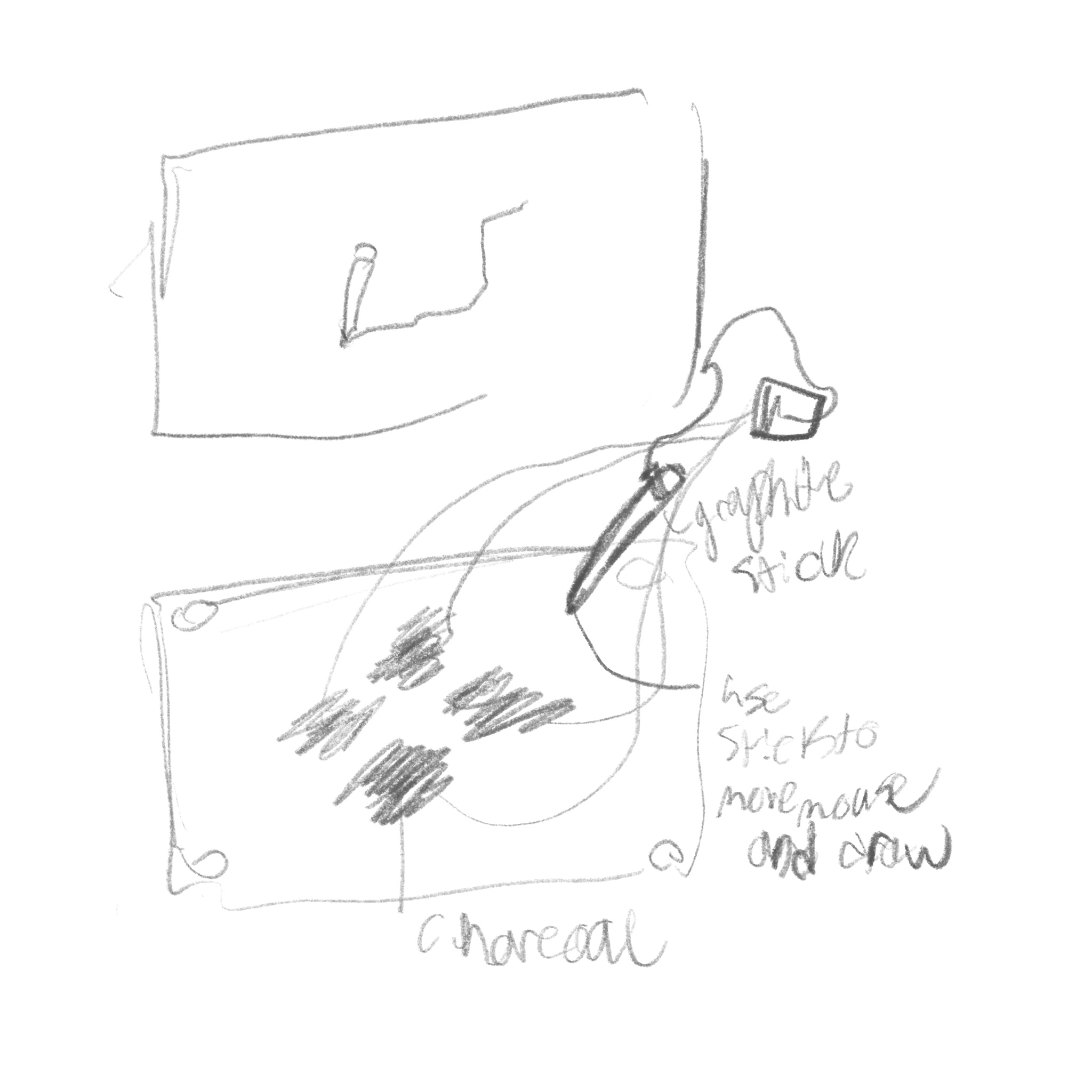
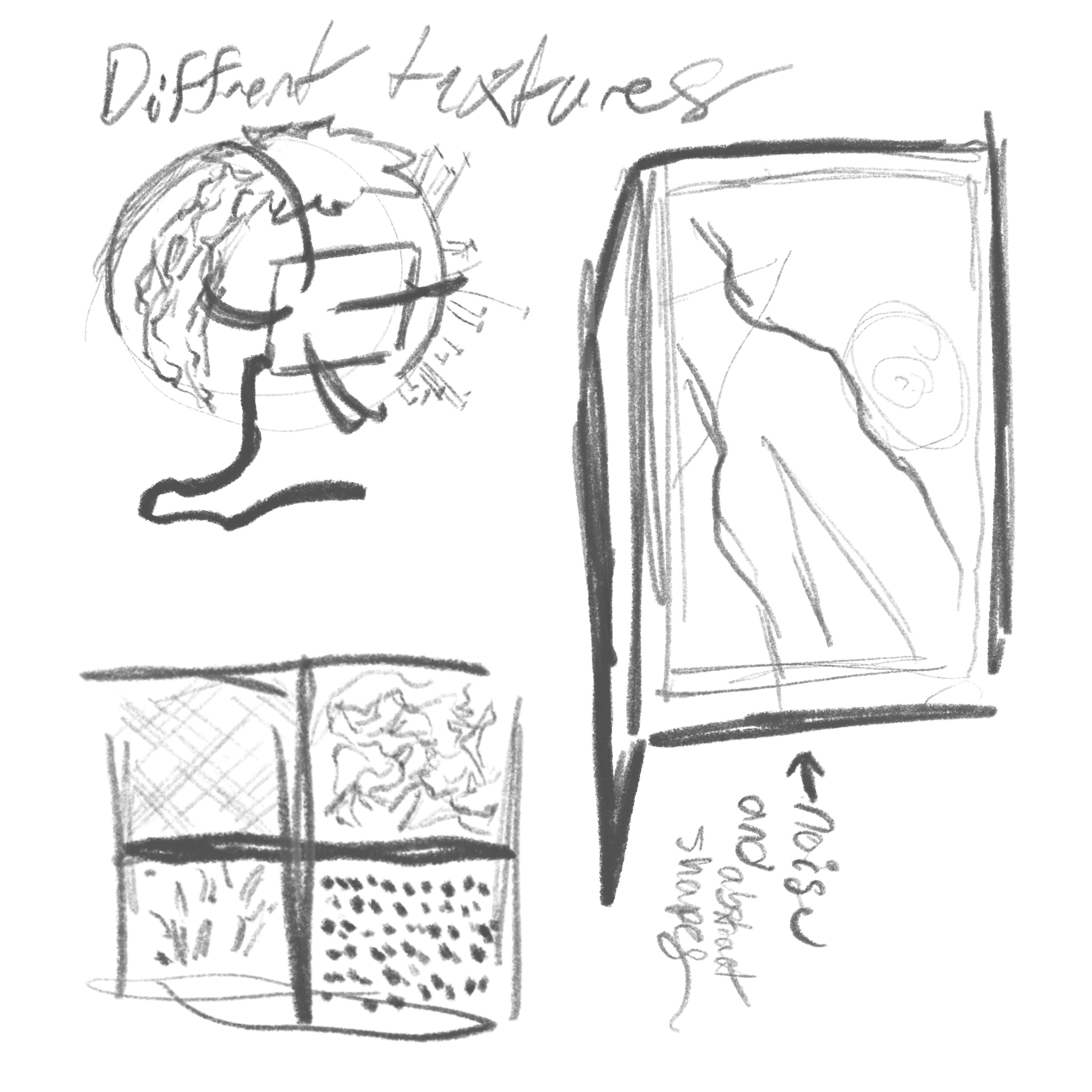
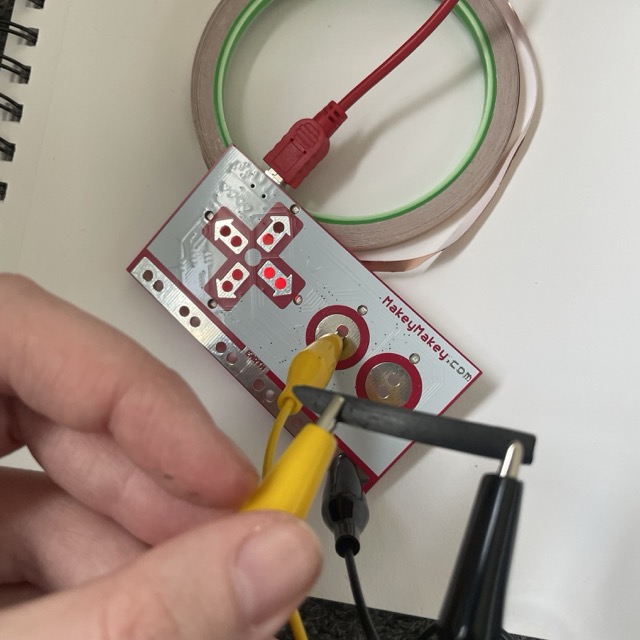
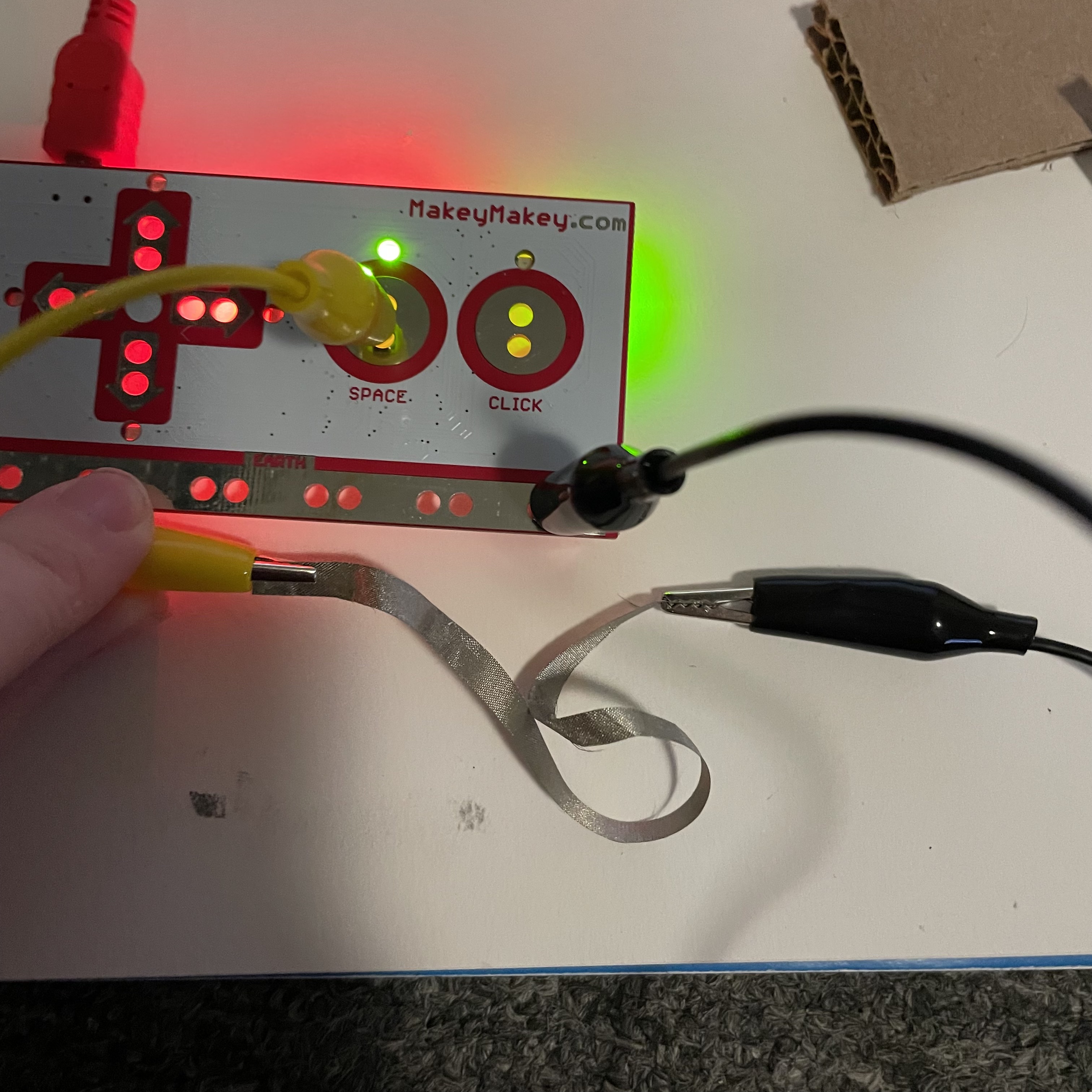
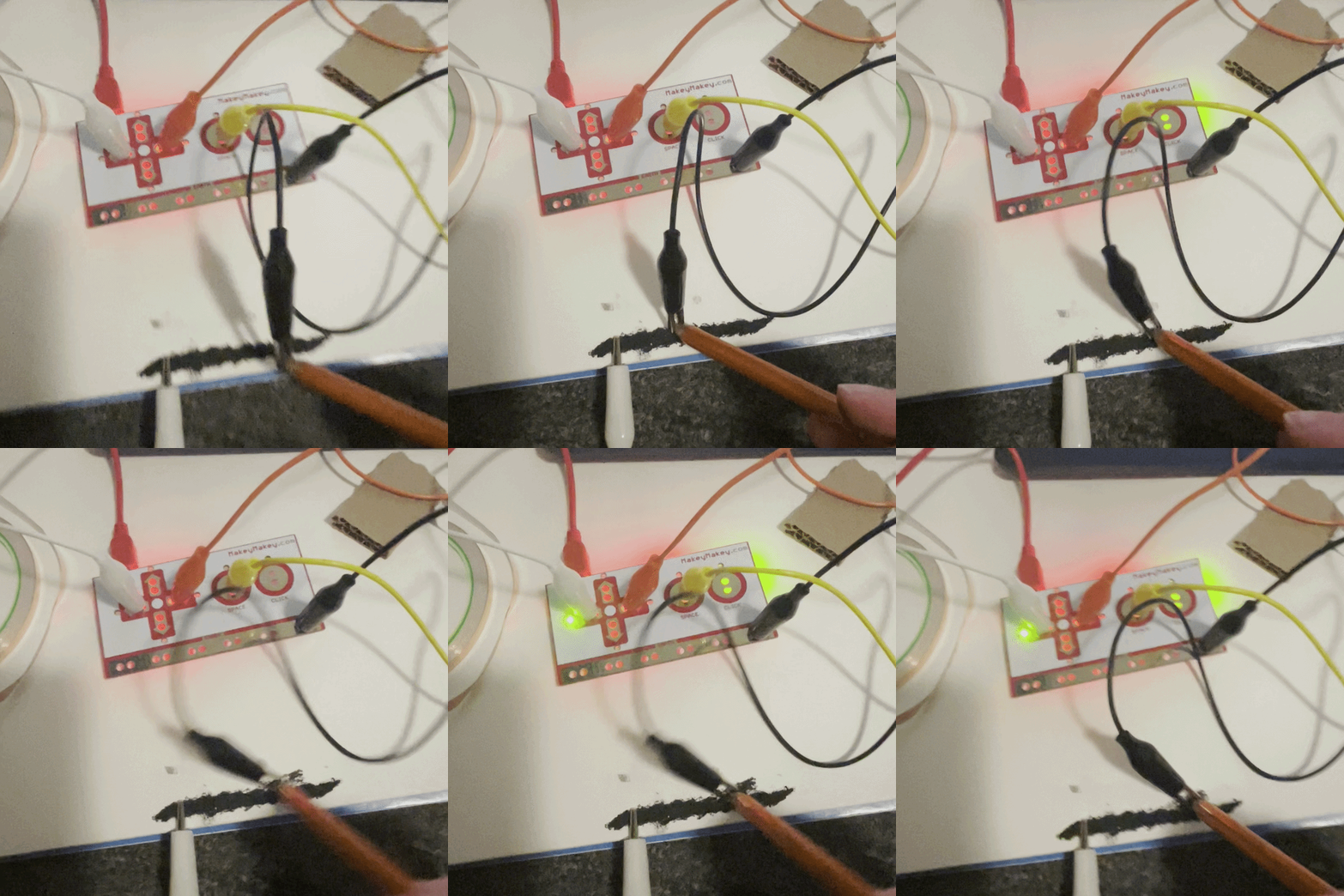
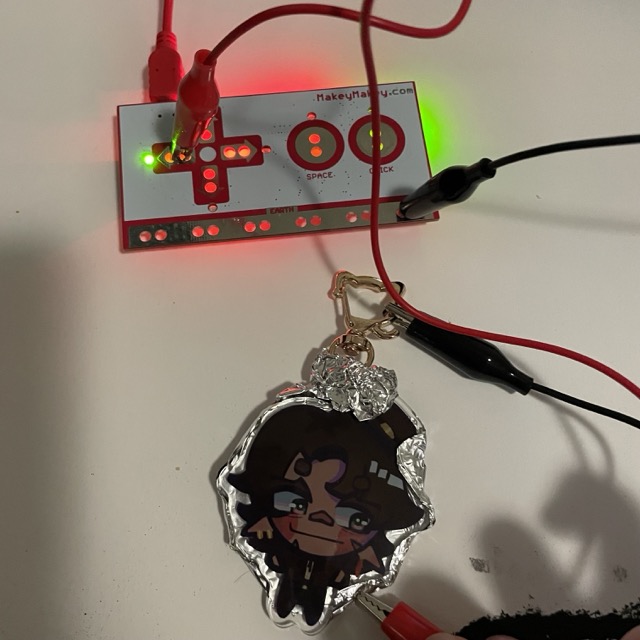
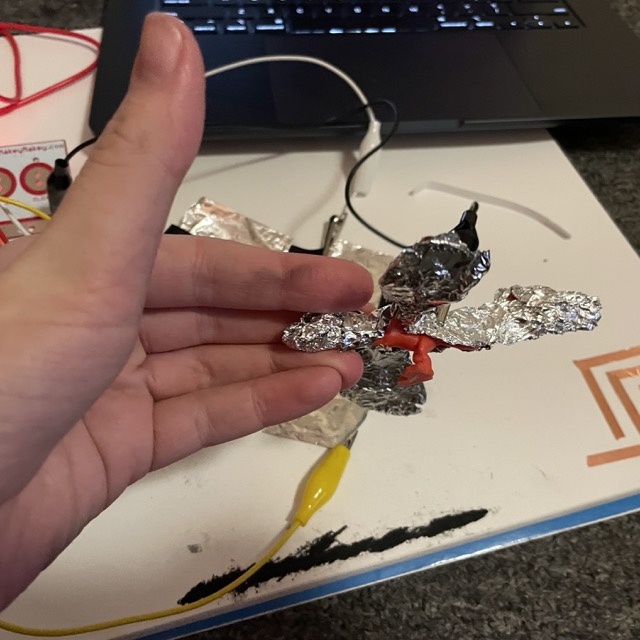
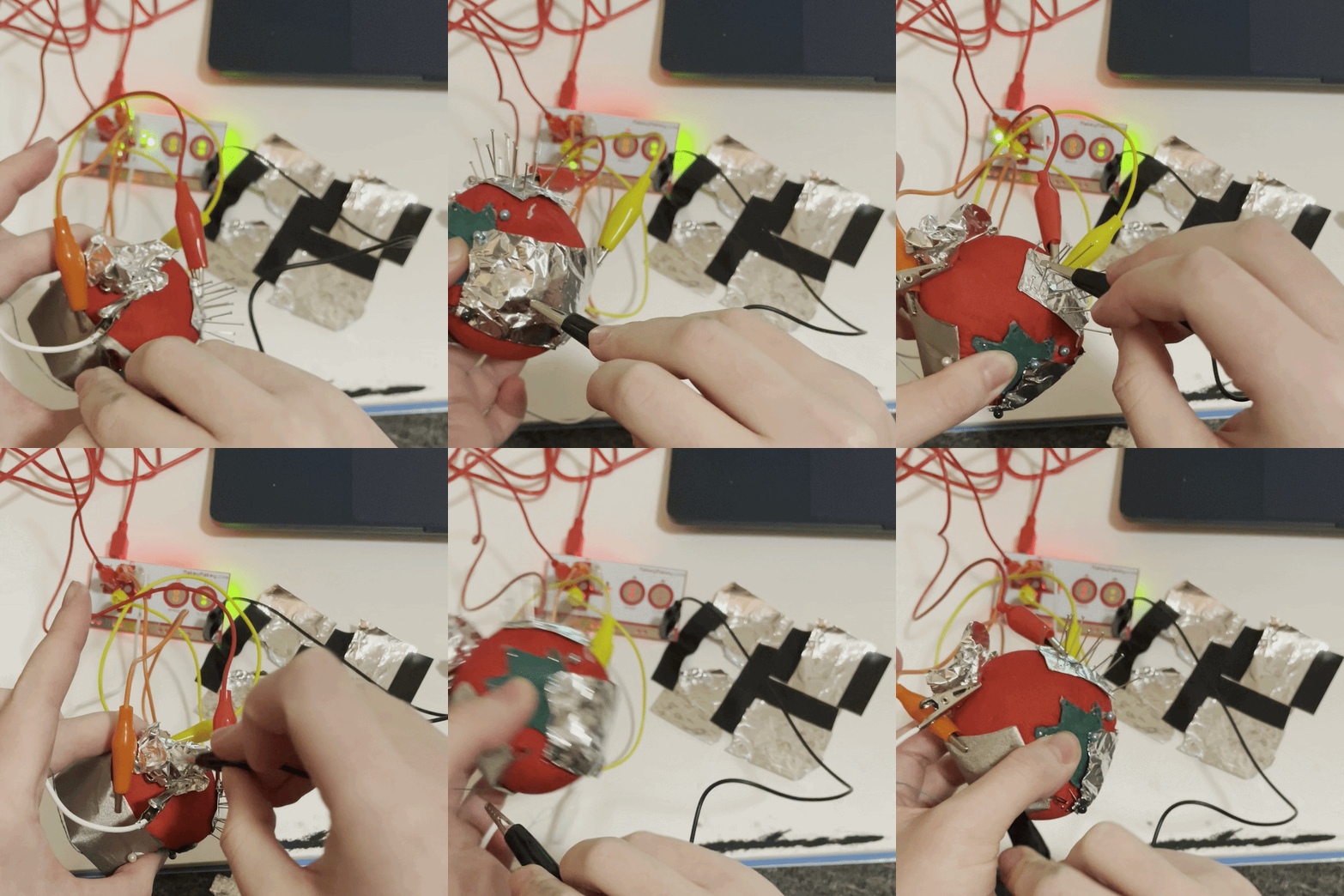
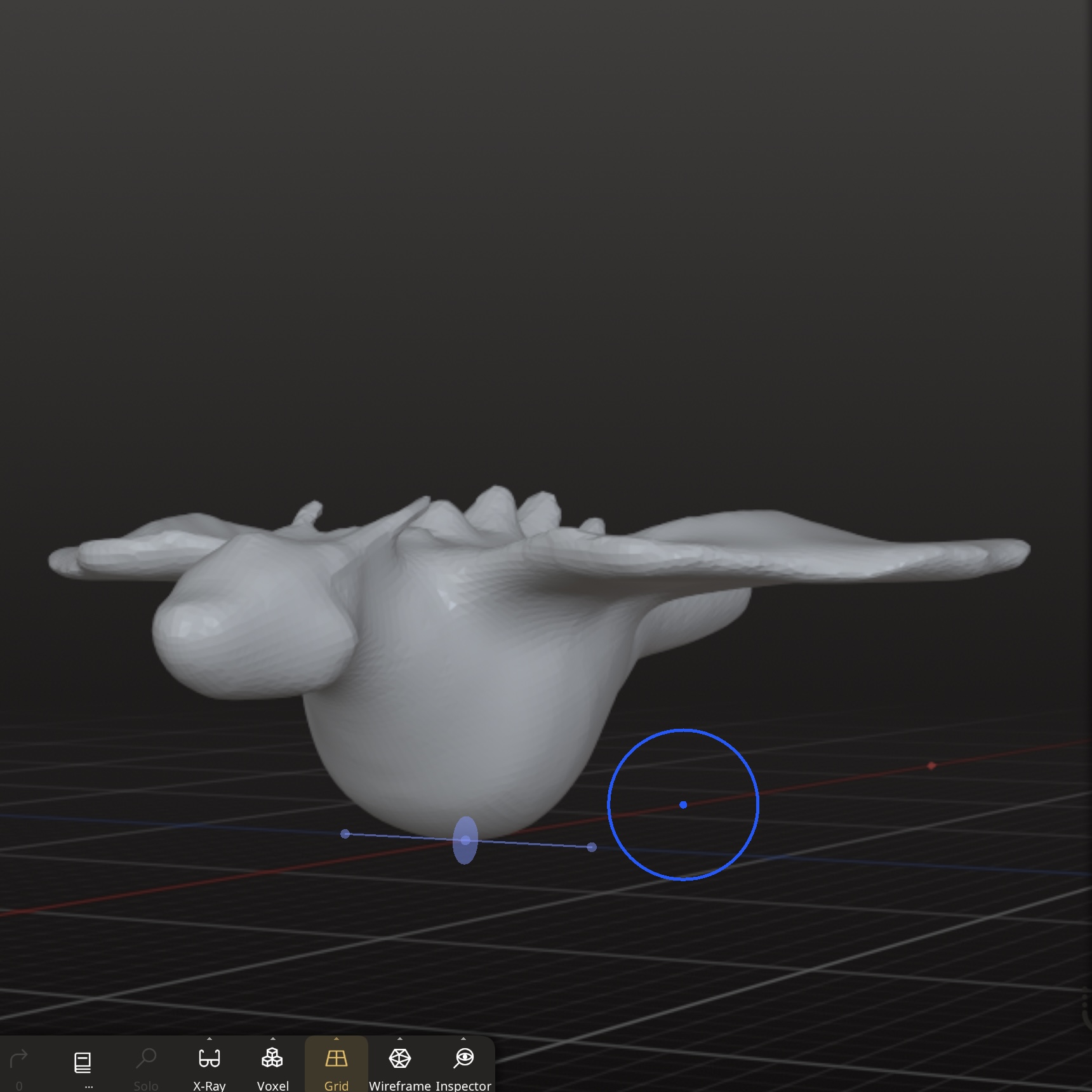
I started this week with a bit more Ideation sketches before I fully dove into material experimentation. This first Idea allows the user to draw on the screen by holing an actual pencil and tapping the direction they need to move, almost like an etch-a-sketch. This sketched idea uses textures and encourages users to have a multi-sensory experience. The dispaly would use abstract shapes and sounds that 'feel' like the texture This sketched idea plays with the idea of sharp objects or pain, combined with beauty, playing with the phrases of a needle in a haystack and a roses thorns. This idea would actually include pins that are sharp but not particularily dangerous. Still, maybe not the best idea for a school project. This photo includes most of the materials I used for this project. I did find some more as I went on but this is most of them. This was my first stage of following the tutorial where we just made sure that everything worked. This was the middle stage of following the tutorial. I was suprised at how much more smoothly this went than the inital stages of project one. This was the final stage of my following steve's tutorial. I found it very fun to use it as a slider and create a lot of notes very quickly. I was incredibly frustrated that I could not find any of my high graphite content pencils and was kicking myself that I left them back at home, but I did find a charcoal pencil and google said that while not as conductive as graphite it still had some conductivity. This video is of me testing the charcoal pencil. It only worked when I pressed down very hard but I was really suprised that It worked at all. Once I saw the charcoal pencil was working I was curious if it was the charcoal itself that was conductive enough or if the pencil had some quantity of graphite in it so I grabbed a stick of pure willow charcoal and tried hooking it up to the makey makey. This gave me no response so I am assuming the pencil just has some amount of graphite in it. This is my first test with conductive fabric. I was suprised just how strong the connection was, even though it was incredibly effective in project one. This video shows me experimenting with conductive fabric. Here I am trying to see if where I press on the fabric will always trigger all three buttons or if it may only trigger one or two depending on the placement. The fabric is very conductive so it always triggers all three but it made me think back to the charcoal which was less conductive so I went forward and tried this same Idea with that. This video conencts the ground to the pencil itself and allows the user to be part of creating the interface as it changes and expands when they draw with the charcoal pencil. This video shows me exploring how the variable conductivity can be used to have overlapping and isolated zones where one or more buttons are activated all on the same line. This is done by changing how hard I press with the charcoal pencil. This image is me exploring the idea of using a character as the interactable interface, and showing one of the ways that could work. This keychain is by Mio Machi. Two keychains that trigger a button interaction when they touch or 'hold hands'. These keychains are created by Mio Machi, If i were to move forward woth this idea I would create my own figures and characters. a number of my ideas from formstorming 1 involved fully body interaction or stepping on a touchpad to trigger an interaction. This is my first attempt at making a larger button that doesnt stay pushed down. Ideally a proper full size button would use springs and be more secured. However, due to my lack of materials, I made do with some peices of cardboard and conductive fabric pulled tight. This video shows a large tinfoil touchpad working. It could be combined with an additonal controller or be made even bigger to play with the element of size in the design. an image of the dragon controller. There is a seperate image because due to it being covered in tinfoil, it is a bit harder to see in some of the subsequent videos. This is a video of the movement of the dragon controller on the larger touchpad. The wings correlate to the left and right arrows, and the head to up and down. The touch pad gets activated when the toy is tilted. The ideal final will have a rounded bottom to make tilting it easier. This video shows the dragon controller being used to control the tilt of a camera. The idea is that as you tilt the dragon, the camera responds by moving the same way, making it look like the screen is what the dragon is seeing. This continues to be my favourite idea. This video shows the dragon controller being used in an alternate way, as a way to control a chatacter's movement in a digital enviorment. For a digital interface like this, moving the bottom of the character instead of tilting it may be more intuitive This is a prototype of ball that has different conductive textures, including smooth tinfoil, crumpled rough tinfoil, conductive fabric, and pin heads which each correlate to a different button. this is a quick video of the texture ball working. The concept behind this idea is to encourage people to interact with a sensory experience that responds with sound and abstract visuals so that they can interptet it in their own way. I created a quick mock up of what the dragon controller might look like in nomad. This is not the file I will print but a quick idea of it. It will be a little bigger than the size of a large computer mouse ideally, and will likely be printed in two peices to have room for wire organization.

Project 3


Final Project 3 Design

Inside the caldera of a volcano you are transported into another world and invited to explore. Use the arrow keys and space to move around, or the custom dragon controller modled after the perspective character.

A 3D printed dragon with tinfoil covering the bottom that acts as the ground for the ciruit on top of a painted box with tinfoil squares that serve as the cardinal directions for movement. As the dragon is tilted, the screen responds by moving in that direction.
×

Powered by w3.css